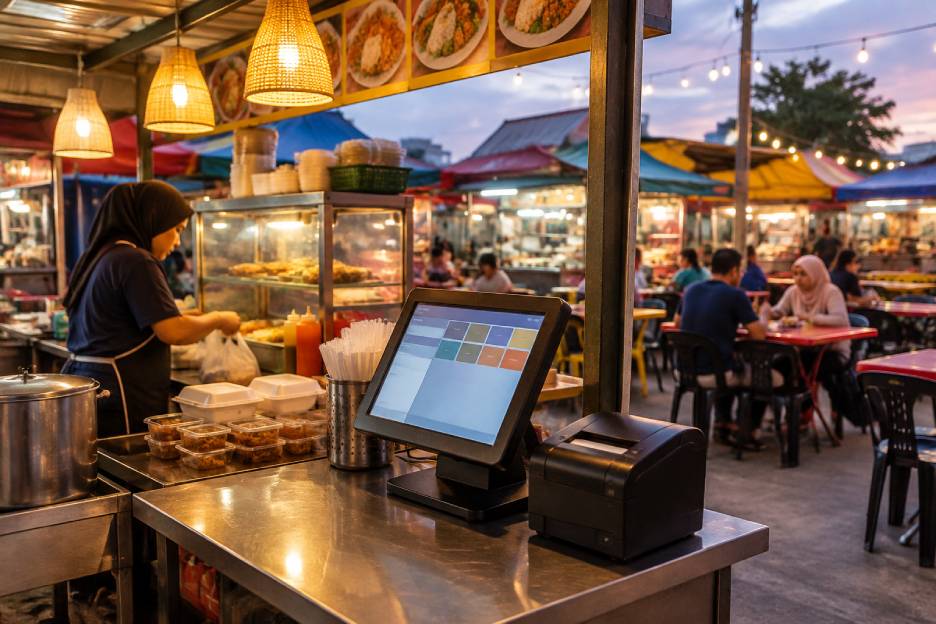
Starting or managing a food and beverage (F&B) business in Malaysia comes with many expenses. From kitchen equipment and ingredients to rental and staffing, every investment needs careful planning.
A point-of-sale (POS) system is one of those important investments. However, choosing the right solution does not mean spending more than your business can afford.
If you are looking for a budget POS system Malaysia restaurants and cafés can rely on, the key is finding a solution that offers the right balance of affordability, functionality, and convenience.
This guide explains what to consider when choosing an affordable POS system, how to avoid unnecessary expenses, and why Optimy POS is worth exploring for your F&B business.
A budget POS system is a point-of-sale solution that provides essential business management functions at an accessible cost.
For F&B businesses, this means having the tools needed to process orders, handle payments, monitor sales, and manage daily operations without paying for unnecessary complexity.
However, affordable does not always mean the cheapest.
A suitable budget POS system should offer:
The goal is to find a POS system that supports your operations while keeping your investment practical.
Small restaurants, cafés, kopitiams, and beverage shops often operate with limited resources. Managing daily transactions manually can become difficult as customer orders increase.
An affordable POS system can help businesses improve their operations without requiring a large technology investment.
Writing down orders and calculating payments manually can take time, particularly during busy periods.
A POS system helps employees record transactions, organize orders, and manage payment details more efficiently.
Order mistakes can lead to wasted ingredients, unhappy customers, and additional operating costs.
With a centralized ordering process, restaurant staff can communicate orders more clearly and reduce the risk of errors caused by handwritten notes.
Knowing which products sell well helps restaurant owners make better business decisions.
Instead of manually reviewing receipts, a POS system can organize sales information and make daily performance easier to understand.
A budget-friendly POS system allows businesses to access useful management tools while keeping software expenses under control.
For smaller F&B establishments, this can make adopting digital restaurant management more financially manageable.
Not every affordable POS system will be suitable for your business. Before choosing a provider, consider the following factors.
Start by identifying the functions your business actually needs.
For most F&B establishments, these may include:
Avoid selecting a system simply because it offers the longest list of features. The best value comes from features your business will actually use.
Some POS systems require specific equipment, while others provide more flexibility with compatible devices.
Before purchasing, check whether your business needs a complete POS terminal or can use existing equipment.
This can help you avoid unnecessary hardware spending when upgrading an existing restaurant setup.
A POS system may appear affordable initially, but additional expenses can affect the total investment.
Make sure you understand the cost of software, hardware, installation, optional accessories, and future renewals.
Knowing these expenses helps you plan your budget more accurately.
A complicated POS system may require additional employee training and slow down daily activities.
Choose a solution that your staff can understand and operate comfortably, especially when processing orders and payments during busy hours.
When researching POS providers in Malaysia, you may encounter brands such as FeedMe POS, Zeoniq POS, EPOS, and Optimy POS.
Rather than comparing subscription prices alone, evaluate how each system matches your business requirements.
Here are some useful questions to ask:
A lower initial price does not necessarily mean lower long-term expenses.
Comparing the overall cost and usefulness of each solution will help you make a more informed decision.
For F&B business owners looking for an affordable and practical management solution, Optimy POS offers several benefits worth considering.
Optimy POS is designed to support common restaurant activities through one system.
Business owners can manage customer orders, tables, inventory, sales reporting, and other essential processes without relying entirely on manual recordkeeping.
These functions make it relevant to different F&B establishments, including restaurants, cafés, beverage shops, and food stalls.
Different businesses have different requirements.
A small takeaway outlet may need a compact counter setup, while a full-service restaurant may require additional ordering and management functions.
Optimy POS offers software subscriptions and hardware packages that allow business owners to explore suitable configurations.
You can review the available Optimy POS hardware and software packages when planning your initial setup.
Understanding your POS expenses is important before making a purchase.
Optimy publishes its software subscription options and provides a cost estimator for businesses considering different hardware and setup requirements.
This makes it easier to understand what may be included in your initial investment.
Explore the Optimy POS pricing and subscription options to find a suitable solution for your business.
Technical support is another factor worth considering when choosing a POS system.
Optimy provides local assistance in Johor Bahru, which can be useful for nearby restaurants seeking help with system setup and everyday operations.
For local businesses, you can also explore what makes a POS system suitable for restaurants in Johor Bahru.
Choosing an affordable system is only the first step. Proper planning can also help prevent unnecessary spending.
Here are five practical tips:
For example, a small café may initially prioritize counter ordering and payments. As its business grows, it might consider introducing customer self-ordering.
Understanding how QR ordering works for restaurants and cafés can help owners decide whether this functionality would benefit their operations.
By planning ahead, businesses can make more informed decisions about their POS investment.
Finding a suitable budget POS system in Malaysia is about more than choosing the lowest-priced option.
Restaurant owners should consider whether the system provides essential management functions, fits their daily operations, and offers reasonable overall value.
For businesses comparing different POS providers, understanding the total investment and long-term usability can help prevent unnecessary expenses.
Optimy POS is worth considering for restaurants, cafés, kopitiams, and other F&B establishments looking for practical management tools, flexible hardware options, and affordable solutions.
With the right setup, you can simplify daily operations while keeping your POS investment within a manageable budget.
Explore Optimy POS and Request a Demo to find a solution that suits your F&B business.
Besides the software subscription, consider hardware, installation, staff training, optional accessories, and future renewals. Understanding the total cost helps you avoid unexpected expenses when setting up your restaurant.
Optimy POS supports Android, iOS, and Windows platforms. However, compatibility depends on the specific device and operating requirements. It is best to check with the Optimy team before using your existing hardware.
This depends on your current setup. New F&B businesses without suitable equipment may find a complete package more convenient, while existing restaurants with compatible hardware may consider a software-only option.
Start by identifying the functions your business uses every day. Prioritize ordering, payments, and basic management requirements before considering additional tools. This helps you choose a solution that matches your actual needs.
Yes. Optimy POS provides different software and hardware options, allowing F&B business owners to explore solutions based on their operating requirements and available budget.
Yes. You can contact the Optimy POS team to discuss your business requirements, explore suitable packages, and request a quotation before making a decision.